
Finding the best IPTV for Firestick comes down to three things: picking an app that actually works well on the device, setting it up correctly the first time, and choosing a provider whose servers are built to handle Firestick traffic without constant buffering. Get those three right, and Firestick becomes one of the smoothest ways to stream IPTV in your entire house.
Amazon’s Firestick has become the go-to device for cord-cutters, and it is not hard to see why. It is small, affordable, plugs straight into any TV, and unlike Roku, it lets you sideload apps that are not available through the official store. That last part matters a lot for IPTV, since most IPTV player apps are not listed on the Amazon App Store.
But “it works on Firestick” and “it works well on Firestick” are two very different things. This guide covers the apps worth using, the exact setup steps, what separates a good IPTV provider from a mediocre one when it comes to Firestick compatibility, and how to fix the most common problems people run into.
If you are still shopping around for a provider and want one that is genuinely tested for smooth Firestick performance, NovaStar IPTV can connect you with a verified option that fits your setup.
Why Firestick Is the Most Popular Device for IPTV
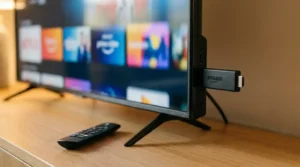
Firestick sits in a sweet spot that other devices do not quite reach. It is cheaper than a Smart TV upgrade, more flexible than Roku because of sideloading support, and powerful enough to handle HD and 4K streams without constant lag on most models.
The Fire TV Stick 4K and Fire TV Cube in particular give you enough processing power to run demanding IPTV apps smoothly, even with EPG data loading in the background. For most households, a Firestick plugged into an existing television is a far cheaper path to good IPTV performance than buying a brand new Smart TV.
What Makes an IPTV Provider Firestick-Friendly
Not every provider performs the same way on Firestick, even if their service works fine on Android or iOS. A few specific things separate the providers worth using from the ones that will frustrate you.
Native App Support
The best providers either have their own dedicated Firestick app or officially support popular third-party players like IPTV Smarters Pro. If a provider only offers a web-based player with no app compatibility guidance, that is a sign their infrastructure was not really built with Firestick users in mind.
Xtream Codes API or M3U Compatibility
Your IPTV app needs a way to actually connect to your provider’s server, and that happens through either an API login (server URL, username, password) or an M3U playlist URL. A provider should offer clear login credentials and setup instructions for whichever method their servers use.
EPG and Catch-Up Support
A working Electronic Program Guide makes a massive difference in daily usability on Firestick, since navigating channel by channel with the remote gets old fast. Providers with accurate, regularly updated EPG data give you a genuinely better experience than ones that leave you guessing what is on.
Best IPTV Apps for Amazon Firestick in 2026

IPTV Smarters Pro
The most widely used IPTV player app for a reason. It is free, supports both Xtream Codes API and M3U logins, includes a built-in EPG, and has a clean interface that works well on a TV screen navigated by remote. If you run into the common authorization error with this app, we have a full walkthrough for fixing IPTV Smarters login issues.
TiviMate
A strong alternative, particularly known for its polished EPG and multi-screen viewing layout. TiviMate has a free version with core features and a premium tier that unlocks extras like picture-in-picture viewing. Many long-time IPTV users consider it the best-looking app available for Firestick.
XCIPTV Player
Lightweight and fast, XCIPTV is a solid choice if your Firestick is an older model and you want something that does not eat up much processing power. It supports the standard login methods and includes catch-up TV features for supported providers.
VLC Media Player
Not built specifically for IPTV, but VLC can play M3U playlists directly and works as a reliable free backup option. It lacks the polish of dedicated IPTV apps, no EPG, no favorites list, but it gets the job done if you just need something that works.
How to Set Up IPTV on Firestick Step by Step

Setting things up correctly the first time saves you from troubleshooting later. Here is the full process.
Step 1: Enable Apps From Unknown Sources
Go to Settings on your Firestick, select My Fire TV, then Developer Options. Turn on Apps from Unknown Sources. This step is required because IPTV player apps are not distributed through the official Amazon App Store.
Step 2: Install the Downloader App
Search for “Downloader” in the Amazon App Store and install it. This free app lets you download and install APK files directly onto your Firestick, which is how you will get your IPTV player app installed.
Step 3: Download and Install Your IPTV App
Open Downloader, type in the direct download URL for your chosen IPTV app (IPTV Smarters Pro, TiviMate, or XCIPTV all have official download pages), and follow the on-screen installation prompts.
Step 4: Enter Your Provider Login Credentials
Open the app and enter the login details your provider gave you. This is typically a server URL, username, and password, or a single M3U playlist link, depending on which login method your provider uses. Copy and paste these instead of typing manually to avoid errors.
Step 5: Configure EPG and Favorites
Once connected, spend a few minutes setting up your EPG source if it is not automatic, and mark your regular channels as favorites. This small step makes daily use significantly smoother.
Firestick vs Fire TV Stick 4K vs Fire TV Cube for IPTV
If you are choosing between Amazon’s device lineup specifically for IPTV, here is the honest breakdown. The standard Firestick handles SD and HD streams fine but can struggle with heavier apps or multiple background processes. The Fire TV Stick 4K offers noticeably better processing power and is the sweet spot for most IPTV users, handling HD and 4K content smoothly. The Fire TV Cube is the most powerful option, ideal if you also want voice control and slightly better multitasking, though it is a bigger investment for a marginal upgrade over the 4K stick for pure IPTV use.
For most cord-cutters, the Fire TV Stick 4K is the best value point specifically for IPTV streaming.
Common Firestick IPTV Problems and Quick Fixes
Buffering During Live Sports
This usually points to either your internet speed or your provider’s server capacity during high-traffic moments. Start by checking your connection, since live sports create the heaviest server load of any IPTV content. Test your streaming speed before assuming it is a provider issue.
App Crashing or Freezing
Clear the app’s cache and data through Settings, then Applications, then Manage Installed Applications. If crashing continues after that, an outdated APK version is the likely cause, so reinstall the latest version directly from the app’s official source.
Failed to Authorize Error
This is one of the most common Firestick IPTV issues and almost always relates to incorrect login credentials or a provider server issue rather than the Firestick itself. We have a complete guide covering nine fixes if you run into this specific error.
Dealing with recurring problems no matter what you try usually means the issue sits with your provider’s infrastructure, not your setup. NovaStar IPTV connects you with providers whose servers are actually built to handle Firestick traffic reliably, so you spend less time troubleshooting and more time watching.
Internet Speed Requirements for Firestick IPTV
For smooth SD streaming, 10 Mbps is generally enough. For HD content, aim for at least 25 Mbps. If you are streaming 4K or running multiple devices on the same network simultaneously, 50 Mbps or higher gives you a comfortable buffer. Wired Ethernet connections, using a Firestick Ethernet adapter, tend to perform more consistently than Wi-Fi, especially in homes with a lot of connected devices competing for bandwidth.
Frequently Asked Questions
What is the best IPTV app for Firestick in 2026?
IPTV Smarters Pro remains the most widely used option because of its free access, dual login method support, and clean interface. TiviMate is a strong alternative for users who want a more polished EPG experience, while XCIPTV works well on older Firestick models with less processing power.
Can I use IPTV on Firestick without sideloading apps?
Sideloading is currently required for most IPTV player apps since they are not distributed through the official Amazon App Store. The process is straightforward using the free Downloader app and takes only a few minutes once you have enabled Apps from Unknown Sources in your settings.
How much does the best IPTV for Firestick cost?
Pricing varies by provider, typically ranging from around $10 to $20 per month depending on channel count, device connections, and quality tiers. The IPTV player apps themselves, like IPTV Smarters Pro and TiviMate, are free to download and use.
Do I need a VPN for IPTV on Firestick?
A VPN is not strictly required, but some users add one for privacy or to reduce ISP throttling on streaming traffic. If your connection struggles specifically with IPTV traffic and not general browsing, a VPN may help, though it is not a fix for provider-side server issues.
Why does my Firestick keep buffering during IPTV streams?
Buffering usually comes down to one of three things: insufficient internet speed for the stream quality, Wi-Fi interference in a crowded home network, or a provider’s servers being overloaded during peak hours. Testing your internet speed is the fastest way to rule out your own setup as the cause.
What is the difference between Firestick and Fire TV Stick 4K for IPTV?
The Fire TV Stick 4K has significantly more processing power than the standard Firestick, which translates to smoother app performance and better handling of HD and 4K IPTV streams. For anyone serious about IPTV streaming, the 4K stick is generally worth the small price difference.
How do I find an IPTV provider that works well with Firestick?
Look for providers that explicitly support Firestick, offer clear setup instructions for popular apps like IPTV Smarters Pro, and maintain servers capable of handling live sports traffic without buffering. If comparing providers on your own feels like guesswork, NovaStar IPTV can match you with a provider that is genuinely suited to your device and viewing habits.