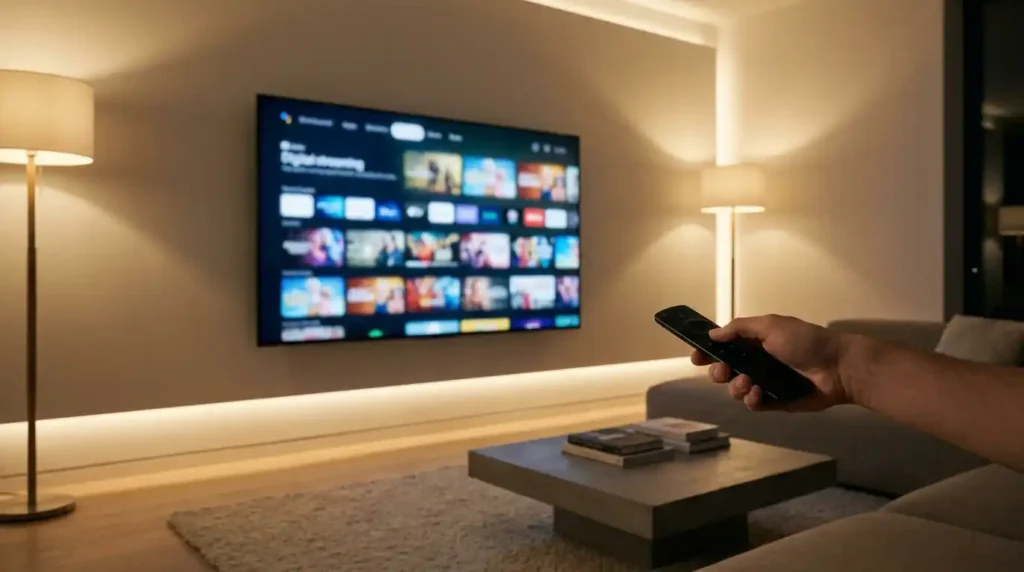
You keep hearing about IPTV. Your neighbor ditched cable for it. Your cousin streams live sports on a Firestick using it. Reddit threads talk about it constantly. But what is IPTV, really? And is it something you should consider?
Here’s the short answer. IPTV stands for Internet Protocol Television. Instead of getting TV channels through a cable line or satellite dish, you get them through your internet connection. Same channels. Same live sports. Same movies. Just delivered differently.
But there’s more to it than that. The way IPTV works, the devices it runs on, the costs involved, and the legal side of things all matter if you’re thinking about making the switch. This guide breaks everything down in plain language so you can decide if IPTV makes sense for your household.
How Does IPTV Work?
Traditional cable TV works like a radio broadcast. The cable company sends every channel down the wire at once, and your cable box tunes into the one you want. You pay for hundreds of channels even if you only watch twenty.
IPTV flips that model. Your TV content travels over the internet, and you only receive the channel you’re actually watching at any given moment. When you switch channels, your device sends a request to the server, and the new stream starts playing within seconds.
Think of it like YouTube or Netflix, except for live TV channels, sports, and news. The content sits on a server somewhere, and your device pulls it down through your internet connection on demand.
There are three main types of IPTV content delivery, and most providers offer all three.
Live TV Streaming
This works exactly like regular TV. You tune into CNN, ESPN, BBC, or whatever channel you want, and you watch it live as it broadcasts. The experience feels identical to cable, just without the cable box and the fat monthly bill.
Sports fans care about this the most. Live football, cricket, basketball, UFC events, Formula 1 races. All streaming in real time with minimal delay.
Video on Demand (VOD)
VOD is the Netflix part of IPTV. Most providers include a massive library of movies and TV shows you can watch whenever you want. Press play, pause, rewind, skip ahead. Your schedule, your pace.
The libraries vary by provider, but a decent IPTV service typically offers tens of thousands of movies and series across multiple languages and genres.
Catch-Up and Time-Shifted TV
Missed the game last night? Catch-up TV lets you go back and watch programs that aired in the last 24 to 72 hours. Some providers extend that window to a full week.
Time-shifted TV means you can pause live broadcasts and pick up where you left off. Dinner interrupts the match? Pause it, come back, and continue without missing anything.
What is IPTV vs Cable TV?
The easiest way to understand the difference is to compare them side by side.
Cable TV requires a physical cable line running into your home. You rent a set-top box from the provider. You sign a 12 to 24 month contract. Your monthly bill usually lands somewhere between $100 and $180 once you add equipment rental, sports packages, HD fees, and regional surcharges. And you get a fixed lineup of maybe 200 to 500 channels based on your region.
IPTV uses your existing internet connection. No cable line needed. No set-top box rental. No long-term contracts. Monthly costs typically range from $10 to $25 for access to thousands of live channels plus a full VOD library. You watch on devices you already own.
The savings add up fast. A typical household switching from cable to IPTV saves between $1,000 and $1,500 per year. If you want to calculate your personal savings based on your current cable bill, try our Cord-Cutting Savings Calculator for an instant breakdown.
For a deeper comparison covering channel counts, picture quality, contracts, and device support, check out our full IPTV vs Cable Comparison Tool.
What Devices Work with IPTV?
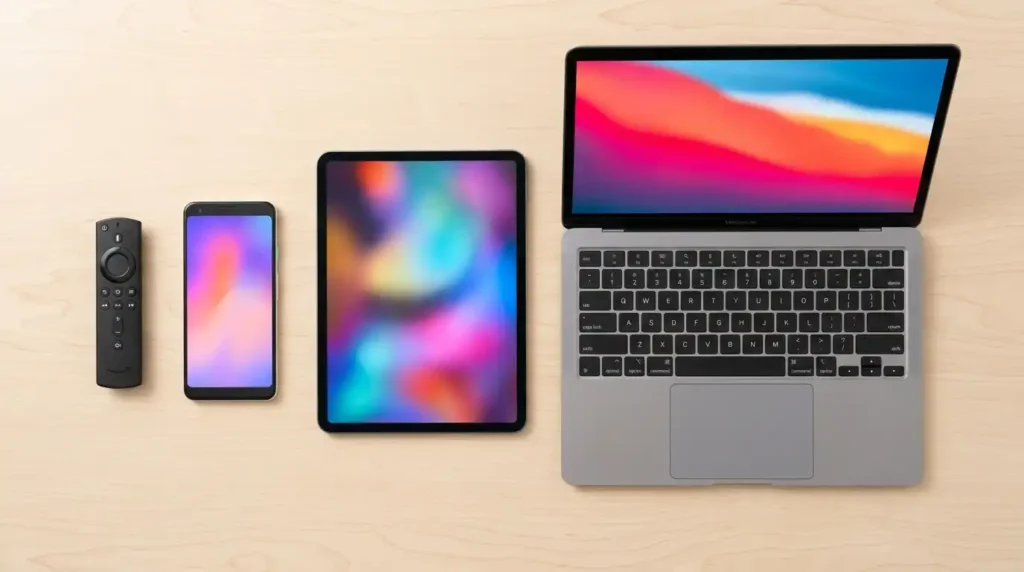
One of the biggest advantages of IPTV is device flexibility. You’re not locked into one TV with one cable box. Here’s what works.
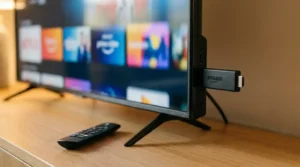
Amazon Firestick and Fire TV are the most popular IPTV devices worldwide. Affordable, easy to set up, and powerful enough for HD and 4K streaming. The Firestick 4K Max with WiFi 6 support is the sweet spot for most households in 2026.
Android TV boxes like the Nvidia Shield and Xiaomi Mi Box give you a full Android experience on your television. Great for people who want more control over apps and settings.
Smart TVs from Samsung, LG, and Sony run IPTV apps natively. If your TV connects to WiFi, chances are it can run IPTV without any additional hardware.
Smartphones and tablets work perfectly for watching on the go. Both Android and iOS have solid IPTV player apps available.
Computers and laptops handle IPTV through desktop players or web-based interfaces. Handy for watching at your desk or casting to a bigger screen.
Not sure if your current device supports IPTV? Run a quick check with our IPTV Device Compatibility Checker to find out in seconds.
How Much Does IPTV Cost in 2026?
IPTV pricing varies by provider, but the general range looks like this.
Monthly plans typically cost between $10 and $25 per month. Quarterly plans bring the per-month cost down to roughly $7 to $15. Annual plans offer the best value, often working out to $5 to $10 per month when you pay upfront for the full year.
Compare that to cable TV. According to industry reports, the average American cable bill reached $127 per month in 2026 once equipment rental and fees are included. Canadian households pay even more, averaging $120 to $180 per month for comparable packages.
No equipment rental fees. No installation charges. No hidden regional surcharges. No early termination penalties. You pay for what you use, and you cancel whenever you want.
The one cost to factor in is your internet connection. IPTV needs a stable broadband connection to work well. You don’t need anything fancy, but a plan that delivers at least 25 Mbps gives you smooth HD streaming. For 4K content or multiple devices streaming at once, aim for 50 Mbps or higher.
Want to know if your internet can handle it? Our Internet Speed Test for Streaming gives you instant results with recommendations specific to IPTV.
Is IPTV Legal?
This question comes up constantly, and the answer has some nuance to it.
IPTV technology itself is completely legal. Major telecom companies around the world use IPTV to deliver their TV services. AT&T’s U-verse, Verizon FiOS, and British Telecom’s BT TV all run on IPTV infrastructure. Netflix and YouTube technically use similar streaming protocols.
Where legality gets complicated is with the content licensing. A provider that has proper licensing agreements with content creators and broadcasters operates legally. A provider that streams copyrighted content without permission does not.
As a viewer, here’s what matters. Stick with providers that have clear business operations, professional websites, responsive customer support, and transparent pricing. Avoid services that seem too good to be true, refuse to identify themselves, or only accept cryptocurrency payments.
You won’t get in legal trouble for watching streams on a properly licensed service. The legal risk falls primarily on providers distributing unlicensed content, not on individual viewers. But choosing a reputable provider protects you from service interruptions, data privacy risks, and poor streaming quality anyway.
How to Set Up IPTV
Setting up IPTV is surprisingly straightforward. Most people go from unboxing to watching in under 30 minutes.
Step 1: Check your internet speed. You need at least 25 Mbps for HD streaming and 50+ Mbps for 4K. Run a test at our Internet Speed Test for Streaming to confirm your connection is ready.
Step 2: Pick your device. Firestick is the most popular choice, but Smart TVs, Android boxes, phones, and computers all work. If you’re not sure which device fits your situation, our IPTV Setup Guide Generator creates a personalized step-by-step guide based on your specific device.
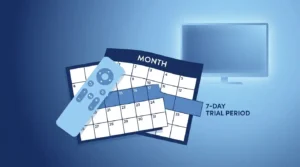
Step 3: Choose a provider. Look for one with a free trial period, responsive support, and a channel lineup that matches what you actually watch. A 24-hour trial is usually enough to test picture quality, channel stability, and app compatibility.
Step 4: Install an IPTV player app. The two most popular options in 2026 are TiviMate and IPTV Smarters Pro. Both are available on Firestick, Android TV, and mobile devices. Your provider will guide you to the best app for your setup.
Step 5: Enter your subscription details. After signing up with a provider, you’ll receive either an M3U playlist URL or Xtream Codes credentials (a server address, username, and password). Enter these into your IPTV player app, and your channel list loads automatically within 30 seconds.
That’s it. Pick a channel and start watching.
Common IPTV Problems and Quick Fixes
IPTV works great most of the time, but like any internet-based technology, issues pop up occasionally. Here are the most common ones and how to handle them.
Buffering and freezing are the number one complaint. Nine times out of ten, this is an internet speed or WiFi issue, not a problem with the IPTV service itself. Switching from WiFi to a wired Ethernet connection fixes buffering in roughly 40% of cases. Clearing your IPTV app’s cache, changing your DNS settings to Cloudflare (1.1.1.1) or Google (8.8.8.8), and increasing the buffer size in your player settings also help.
If buffering keeps happening, run a diagnosis with our IPTV Buffering Fix Tool to pinpoint the exact cause and get a targeted fix.
Channels not loading usually means the provider’s server is temporarily overloaded or undergoing maintenance. Try switching to a different server within the app, or contact your provider’s support team. If it happens during peak evening hours (6 PM to 11 PM), server congestion is the likely culprit.
EPG (Electronic Program Guide) not showing is a settings issue. Make sure EPG is enabled in your IPTV player and that the EPG URL from your provider is entered correctly. Most apps update the guide every 24 hours automatically.
Audio out of sync happens occasionally, especially after long viewing sessions. Restarting the app or your device almost always fixes it. If it persists, check the audio settings in your player and make sure hardware acceleration is turned on.
For a complete set of troubleshooting steps, our ISP Throttling Detector can tell you whether your internet provider is deliberately slowing down your streaming traffic.
Do You Need a VPN for IPTV?
A VPN isn’t strictly required for IPTV, but it’s highly recommended for two reasons.
First, privacy. Without a VPN, your internet service provider can see exactly what you’re streaming and when. Some ISPs sell browsing data to advertisers. A VPN encrypts your connection and keeps your viewing habits private.
Second, ISP throttling. Many internet providers intentionally slow down streaming traffic during peak hours. If your IPTV works great in the morning but buffers every evening, throttling is probably the reason. A VPN hides the type of traffic you’re using, so your ISP can’t target streaming specifically.
NordVPN and Surfshark are the two most popular choices among IPTV users in 2026. Both offer fast speeds, native Firestick apps, and strong encryption without noticeably affecting stream quality.
Curious about how much speed a VPN might cost you? Our VPN Speed Impact Calculator estimates the performance impact based on your current connection speed.
How Much Bandwidth Does IPTV Use?
Bandwidth usage depends entirely on the stream quality you’re watching.
Standard definition (480p) uses roughly 1.5 to 3 GB per hour. Good enough for smaller screens like phones and tablets, but noticeably blurry on larger TVs.
HD streams (720p and 1080p) consume about 3 to 5 GB per hour. This is the sweet spot for most viewers. Clear picture, smooth motion, reasonable data usage.
Full HD and 4K content can use 7 to 15 GB per hour depending on the encoding. Beautiful picture quality, but it adds up fast if you have a data cap.
A household streaming 4 hours of HD content daily would use roughly 450 to 600 GB per month. Most modern broadband plans offer unlimited data, but check your plan if you’re unsure.
For an exact estimate based on your viewing habits, plug your numbers into our Streaming Bandwidth Usage Calculator.
Frequently Asked Questions About IPTV
What is IPTV in simple terms?
IPTV is television delivered through your internet connection instead of a cable line or satellite dish. You watch live channels, movies, and shows on devices like Firestick, Smart TV, phone, or computer. The content streams from online servers directly to your device.
Is IPTV the same as Netflix?
Not exactly. Netflix is an on-demand streaming service with its own original content. IPTV gives you live TV channels (news, sports, entertainment) plus a VOD library, making it a more complete replacement for traditional cable TV. Netflix is one piece of the puzzle. IPTV replaces the entire cable package.
What internet speed do I need for IPTV?
A minimum of 25 Mbps handles HD streaming comfortably. For 4K content or multiple devices streaming at the same time, 50 Mbps or higher is recommended. A wired Ethernet connection is always more reliable than WiFi for IPTV.
Can I watch IPTV on multiple devices?
Yes. Most IPTV subscriptions allow 1 to 3 simultaneous connections depending on the plan you choose. Family plans with more connections are usually available at a slightly higher price.
Does IPTV work without a Firestick?
Absolutely. Firestick is the most popular choice, but IPTV works on Smart TVs, Android boxes, iPhones, iPads, Android phones, tablets, Windows PCs, and Mac computers. If it connects to the internet, it can probably run IPTV.
Will IPTV replace cable TV?
It already is. According to Nielsen, streaming surpassed cable TV in total US viewing time for the first time in 2025, and the gap continues to grow in 2026. IPTV offers more channels, better pricing, and greater flexibility than cable. For most households, the switch makes financial sense.
How do I know if an IPTV provider is reliable?
Look for providers that offer a free trial before you pay, have active customer support via live chat or WhatsApp, provide clear pricing without hidden fees, and have been operating for at least a year. Read reviews from real users, not just the testimonials on the provider’s own website.
What is the best IPTV app in 2026?
TiviMate is widely considered the best IPTV player for Firestick and Android TV. It offers a polished interface, full EPG support, catch-up TV, and smooth navigation. IPTV Smarters Pro is another solid option, especially for beginners who want a simpler setup experience.
Ready to Explore IPTV?
Now you know what IPTV is, how it works, and what you need to get started. The technology has matured significantly, and the gap between cable and IPTV is only growing wider in terms of both content and cost.
If you want to see exactly how much you’d save by switching, start with our Cord-Cutting Savings Calculator. And if you’re ready to check whether your current setup can handle IPTV streaming, run a quick Internet Speed Test for Streaming to find out.
Your cable company won’t miss you. But your wallet will thank you.