Cable bills keep climbing. Every year, another fee gets added, another surcharge shows up, and your monthly bill creeps higher without you watching a single extra channel. Meanwhile, IPTV users stream thousands of live channels for a fraction of the cost.
So where does the money actually go? And how much can you realistically save by choosing IPTV vs cable in 2026?
This comparison puts real numbers next to each other. No marketing fluff, no exaggerated claims. Just an honest look at what both options cost, what you get, and which one makes more financial sense for your household.
What Cable TV Actually Costs in 2026
Cable pricing looks reasonable in advertisements. The reality on your monthly bill tells a different story.
The advertised base rate for a mid-tier cable package runs somewhere between $70 and $90 per month. But that number never includes the extras that silently inflate your bill every month.
Here’s what a typical cable bill actually looks like once everything is added up:
Base package: $75 to $90 per month. Broadcast TV fee: $15 to $20 per month. Regional sports surcharge: $10 to $15 per month. HD technology fee: $10 per month. Equipment rental for one DVR box: $12 to $15 per month. Additional receiver for a second TV: $8 to $12 per month.
When you stack all of that together, the average American cable bill reaches $100 to $150 per month before taxes. Some households with premium sports tiers and multiple rooms hit $180 or more.
That’s $1,200 to $1,800 per year. For a fixed lineup of 200 to 500 channels, most of which you never watch.
And then there’s the contract. Most cable providers lock you into a 12 to 24 month agreement. Cancel early and you’ll face termination fees ranging from $150 to $300. Even if the service disappoints you, walking away has a price tag.
What IPTV Actually Costs
IPTV pricing is dramatically simpler. What you see is what you pay.
Monthly subscriptions typically range from $10 to $25. Quarterly plans bring the cost down to roughly $7 to $15 per month. Annual plans offer the best value, averaging $5 to $10 per month when paid upfront.
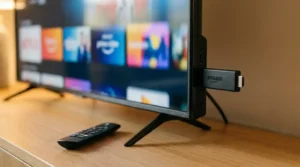
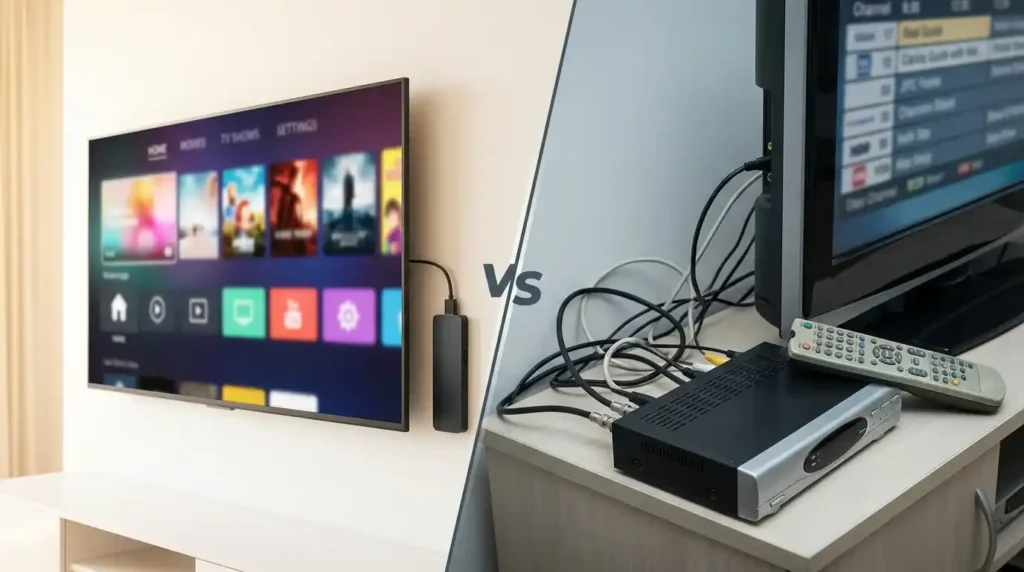
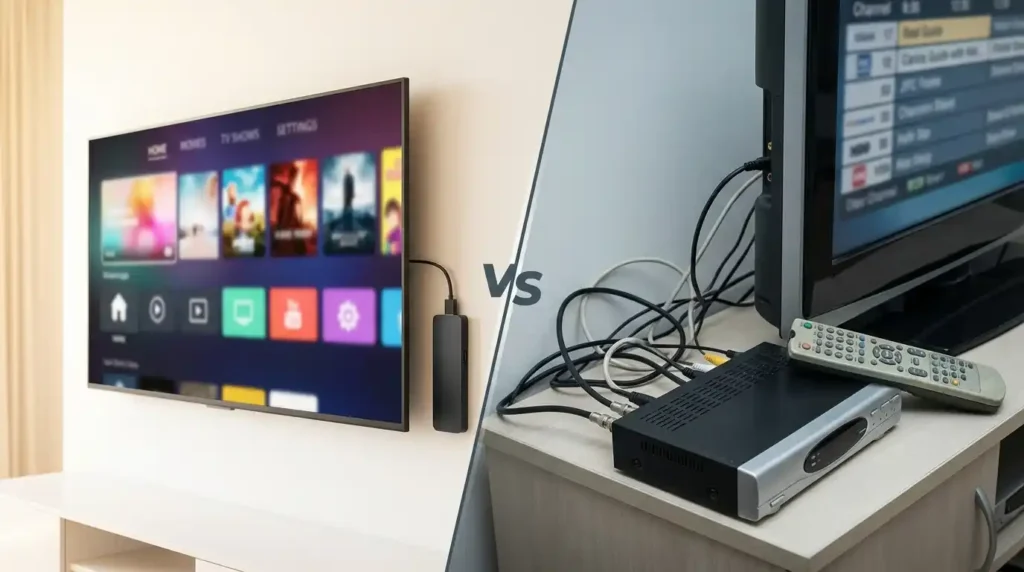
No equipment rental. You stream on devices you already own. A Firestick, Smart TV, phone, tablet, or laptop. No technician visit. No installation fee. No cable box sitting under your television.
No contracts. Pay for the period you want and cancel whenever you feel like it. No termination penalties, no awkward phone calls trying to cancel, no retention department offers designed to keep you trapped.
No hidden fees. The price you see is the price you pay. No broadcast fee, no regional surcharge, no HD technology fee, no mysterious line items that appear six months into your subscription.
Most IPTV providers also include a VOD library with thousands of movies and TV shows at no additional cost. Cable charges extra for premium on-demand content. IPTV bundles it in.
IPTV vs Cable Side by Side
Seeing the numbers next to each other makes the gap hard to ignore.
Monthly cost: Cable averages $120 to $150. IPTV averages $10 to $25. The difference is roughly $100 per month in most households.
Yearly cost: Cable runs $1,440 to $1,800 per year. IPTV costs $120 to $300 per year. Annual savings range from $1,100 to $1,500 depending on your current cable plan.
Five-year cost: Over five years, cable with annual price increases costs roughly $8,000 to $11,000. IPTV over the same period costs $600 to $1,500. The long-term savings are significant.
Channel count: Cable packages offer 200 to 500 channels depending on your tier and region. IPTV providers routinely offer 5,000 to 15,000 live channels, including international content that cable simply doesn’t carry.
Contracts: Cable requires 12 to 24 months. IPTV operates month-to-month with no commitments.
Equipment: Cable requires a rented set-top box for each TV. IPTV runs on devices you already own.
Device flexibility: Cable ties you to the TV connected to the cable box. IPTV lets you watch on any screen, anywhere, as long as you have internet.
Want a personalized IPTV vs cable breakdown based on your specific cable bill? Our IPTV vs Cable Comparison Tool runs the numbers for your exact situation.
Calculate Your Personal Savings
The numbers above are averages. Your actual savings depend on what you currently pay for cable, which add-ons you subscribe to, and how many TVs you have connected.
A household paying $130 per month for cable (including fees and equipment) would save roughly $1,320 per year by switching to a $20/month IPTV subscription. Over three years, that’s nearly $4,000 back in your pocket.
Plug your own numbers into our Cord-Cutting Savings Calculator for an instant estimate. It factors in your current bill, contract situation, and viewing habits to give you a realistic savings projection.
The math usually surprises people. Not because the savings are small, but because they’re larger than expected.
Where IPTV vs Cable Gets Interesting Beyond Price
Cost is the biggest differentiator, but it’s not the only one. Several other factors make the IPTV vs cable decision easier once you look at the full picture.
Picture quality used to be a cable advantage. Not anymore. Premium IPTV services deliver 1080p and 4K streams with HDR support. As long as your internet connection is stable, the picture quality matches or exceeds what cable provides. Our Internet Speed Test for Streaming can confirm whether your connection handles HD and 4K without issues.
International content is where IPTV wins by a mile. Cable packages are region-locked. If you want channels from South Asia, the Middle East, Europe, or Latin America, cable charges $20 to $40 per month for a limited add-on package. Most IPTV subscriptions include international channels from 50+ countries at no extra cost.
Sports coverage is surprisingly strong on IPTV. Live coverage of NFL, NBA, Premier League, UFC, Formula 1, cricket, and more. Many IPTV providers include sports channels that cable would charge premium tier pricing for. No regional blackout restrictions either.
On-demand content comes standard with IPTV. Thousands of movies and TV series ready to watch whenever you want, included in your base subscription. Cable charges per rental or requires a separate premium channel subscription for on-demand access.
Portability matters more than people realize. Traveling for work? Visiting family? With IPTV, your entire channel lineup travels with you. Open the app on your phone or laptop and watch anything from your subscription anywhere with internet. Cable stays in your living room.
When Cable Still Makes Sense
Being fair here. Cable does have a couple of genuine advantages worth acknowledging.
Reliability during internet outages. Cable TV works independently of your internet connection. If your broadband goes down, cable keeps running. For areas with frequent internet instability, this matters. However, with fiber and 5G home internet becoming more widespread, internet reliability has improved dramatically in most regions.
Local channel access. Some local broadcast channels are easier to access through cable than through IPTV. If local news and regional programming are a priority, check whether your preferred IPTV provider carries your local channels before making the switch.
Simplicity for non-technical users. Cable is plug-and-play. The cable company installs everything, hands you a remote, and you’re done. IPTV requires downloading an app, entering credentials, and occasionally troubleshooting. It’s not difficult, but it’s not zero-effort either.
For most households in 2026, these advantages don’t outweigh the cost difference. But they’re worth considering if they apply to your specific situation.
How to Switch from Cable to IPTV
Ready to make the move? Here’s the practical path from cable subscriber to IPTV user.
Step 1: Check your cable contract. Find out when it expires and whether you’ll face an early termination fee. Sometimes waiting a month or two saves you $200+ in cancellation charges.
Step 2: Confirm your internet handles streaming. You need at least 25 Mbps for HD and 50 Mbps for 4K. Test your speed with our Internet Speed Test for Streaming to be sure.
Step 3: Choose an IPTV provider and start a free trial. Most reputable providers offer a 24-hour trial so you can test channel quality, app compatibility, and overall experience before committing any money.
Step 4: Pick your streaming device. If you already have a Smart TV, Firestick, or Android box, you’re set. If not, a Firestick 4K costs around $50 and handles everything you need. Our IPTV Device Compatibility Checker confirms whether your existing hardware works.
Step 5: Cancel cable after you’re satisfied with IPTV. Don’t cancel cable first. Run both for a week, make sure IPTV covers everything you watch, and then call your cable company to cancel.
Step 6: Calculate your actual monthly savings and enjoy the difference. Our Cord-Cutting Savings Calculator gives you the exact numbers.
Frequently Asked Questions
Is IPTV vs cable really that big of a price difference?
Yes. The average cable household pays $120 to $150 per month after all fees. IPTV costs $10 to $25 per month with no hidden charges. That’s a savings of roughly $100 per month or $1,200+ per year for most families.
Is IPTV as reliable as cable?
With a stable internet connection of 25 Mbps or higher, IPTV reliability matches cable for most users. The main risk is internet outages. Cable works independently of your internet, so it stays on during broadband downtime. For most households with reliable broadband, this isn’t a practical concern.
Can I watch sports on IPTV instead of cable?
Absolutely. Most IPTV providers include live sports channels covering NFL, NBA, Premier League, UFC, F1, cricket, and more. Many users switch to IPTV specifically because the sports coverage is broader and cheaper than cable’s premium sports tiers.
Do I need special equipment for IPTV?
No. IPTV works on devices you likely already own. Smart TVs, Amazon Firestick, Android boxes, smartphones, tablets, and computers all support IPTV apps. No cable box rental, no technician visit, no equipment fees.
What happens if IPTV doesn’t work out?
Since IPTV operates month-to-month with no contracts, you simply stop paying if it doesn’t meet your expectations. No cancellation fee, no hassle. You can always return to cable or try a different IPTV provider.
Is the IPTV vs cable switch difficult?
Not at all. The setup takes about 10 to 15 minutes. Download an IPTV player app on your device, enter your subscription credentials, and start watching. Our Streaming Bandwidth Usage Calculator helps you plan your data usage before making the switch.
Make the Smart Choice
The IPTV vs cable comparison in 2026 isn’t close. Cable costs more, offers fewer channels, locks you into contracts, and charges for equipment you don’t own. IPTV gives you more content, more flexibility, and more money in your pocket every single month.
Start by finding out exactly how much you’d save. Our Cord-Cutting Savings Calculator takes your current cable bill and shows you the real numbers in seconds. And our IPTV vs Cable Comparison Tool breaks down the full picture beyond just price.
Your cable company benefits from your loyalty. Your bank account benefits when you leave.